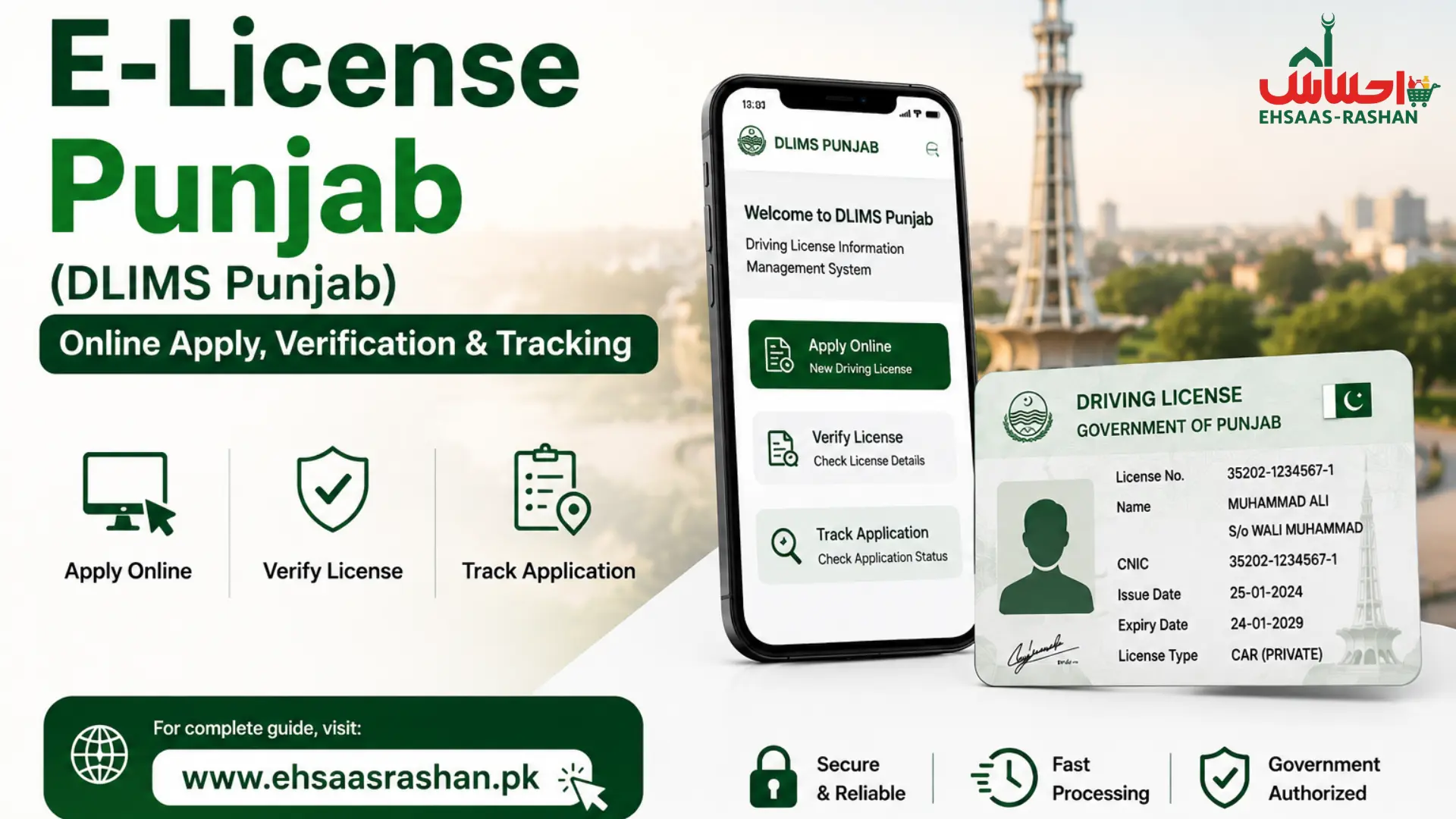
e-License Punjab (DLIMS Punjab) | Online Apply, Verification & Tracking
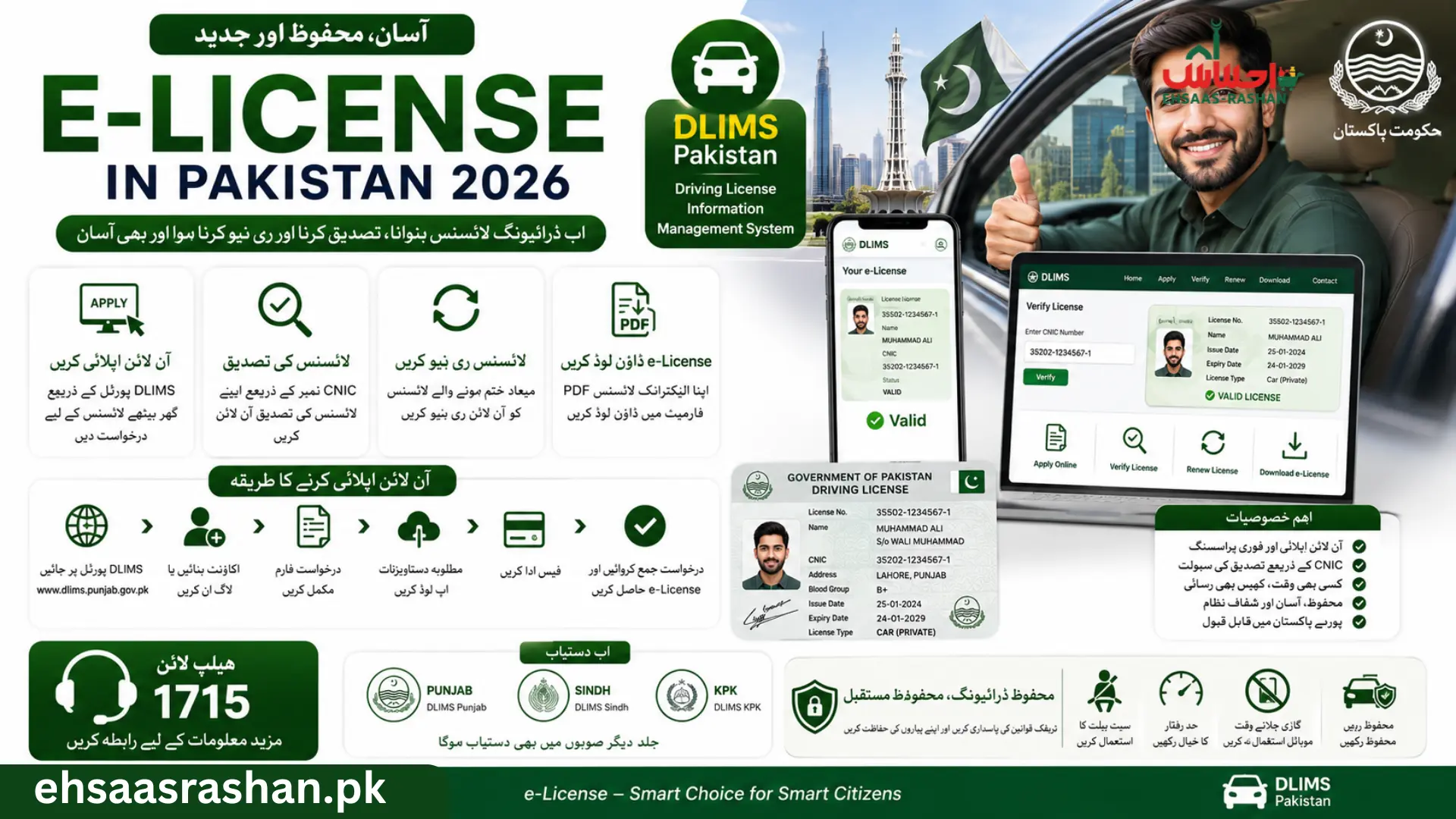
Punjab has moved its entire driving license system online. You can now apply, verify, track, and download your driving e license Punjab without visiting any office.
The DLIMS Punjab system Driving License Information Management System is the official platform. It is built by PITB and integrated into the Dastak One-Window service. This guide covers every service in one place.
Want to know about the schemes of Pakistan click the button below.
What Is Punjab e-License System (DLIMS Punjab)?
Overview of DLIMS Punjab
DLIMS Punjab is a centralized digital platform that manages all driving license services across Punjab’s 36 districts. It runs on DLIMS 2.0 with AI-assisted test supervision, PSID-based payments, and QR code verification. The helpline is 042-99202892 and support email is [email protected].
Services Available in E-License Punjab
The driving e-license Punjab system offers these fully online services.
- License verification using CNIC or license number.
- New license application and learner permit issuance.
- License renewal and duplicate card requests.
- International driving permit application.
- Real-time tracking and e-license PDF download.
Benefits of e-Driving License Punjab
Fast Online Verification
e-license Punjab verification takes seconds at official website. Enter your CNIC and your license record appears instantly, active, expired, or suspended. Traffic police use the same system during roadside checks through Safe City integration.
Digital License Download Facility
The e-license PDF download is available immediately after approval. It carries a QR code verified in real time. Traffic police across Punjab accept it as a valid document even without the physical card.
Easy Tracking System
Track e-license Punjab application status from submission to TCS delivery, all through your DLIMS dashboard. Status SMS updates are sent to your registered mobile automatically.
Paperless Online Services
Documents upload digitally. Fees pay via PSID through ATM, mobile banking, or internet banking. The physical card delivers to your home via TCS in 3 to 7 working days. The entire process takes under 15 minutes on a mobile phone.
How to Apply e-License Punjab Online
Eligibility Requirements
- Minimum age 18 years for motorcycle and car. Age 21 for HTV and PSV categories.
- Valid, active CNIC with Punjab address.
- Mobile number registered to your own CNIC.
- Medical certificate required for applicants above 50 years or commercial categories.
Documents Required
- CNIC, front and back, clearly scanned.
- Recent passport-size photograph on white background.
- Medical certificate for age 50+ or commercial license.
- Learner permit copy minimum 42 days old for regular license.
- FIR or police report for duplicate license requests only.
Step-by-Step Online Application Process
- Visit only the official portal.
- Click Register. Enter CNIC and mobile number. Verify OTP.
- Log in and select your required service learner, regular, renewal, or duplicate.
- Fill personal details exactly as on your CNIC. Any NADRA mismatch causes rejection.
- Upload clear documents. Blurry uploads are the top cause of delays.
- Generate PSID and pay through NBP branch, 1-Link ATM, or mobile wallet.
- Book your driving test appointment after payment confirms. Learner permit downloads immediately without a test.
e-License Punjab Fee Structure 2026 (Official DLIMS Rates)
Fees apply per year. A license can be issued for 1 to 5 years maximum. For combined categories, the highest fee category applies.
| Category | Test Fee | Fee After Passing | Courier | Total |
| M/Cycle | Rs. 50 | Rs. 450 | Rs. 480 | Rs. 930 |
| Car / Jeep | Rs. 150 | Rs. 1,350 | Rs. 480 | Rs. 1,830 |
| LTV | Rs. 150 | Rs. 1,850 | Rs. 480 | Rs. 2,330 |
| HTV / PSV | Rs. 200 | Rs. 1,850 | Rs. 480 | Rs. 2,330 |
| Rickshaw | Rs. 100 | Rs. 400 | Rs. 480 | Rs. 880 |
| Invalid Car. | Free | Free | Rs. 480 | Rs. 480 |
Renewal fines: No fine within 1 month. 50% fine from 1 to 3 months. 100% fine from 3 months to 1 year. Always renew before expiry.
How to Get e-License Punjab After Approval
License Issuance Process
After passing the driving test and biometric verification at the licensing center, your license moves to central printing. You receive an SMS confirmation when approved.
Receiving Digital Copy
Log in to official site. Open your application and click Generate e-License. The PDF downloads instantly. It shows your name, CNIC, license number, vehicle categories, validity dates, and a QR code for real-time verification.
Physical License Delivery
The plastic card delivers via TCS courier to your CNIC address in 3 to 7 working days. Track the consignment through your DLIMS dashboard using the TCS tracking number provided after dispatch.
e-License Punjab Online Verification Process
Verify License Using CNIC
- Go to official site and click Verify License.
- Select Regular License or International License.
- Enter your 13-digit CNIC without dashes.
- Solve the captcha and click Generate.
- Your license details, validity, and categories appear instantly.
Verify License Number Online
Enter your CNIC along with your license number for third-party verification. Employers, rental companies, and banks use this method to confirm license authenticity.
Common Verification Errors
- CNIC entered with dashes, always remove dashes before entering.
- Old license not yet digitized, visit nearest center for record update.
- Browser cache issue, clear cache or try a different browser.
e-License Punjab Tracking System
How to Track Application Status
- Go to Punjab official site and click Track Application.
- Enter CNIC without dashes. Example: 3520112345678 not 35201-1234567-8.
- Enter captcha and click Track.
- Your current application stage appears immediately.
Status stages: Submitted → Under Verification → Test Scheduled → Approved → Dispatched → Delivered.
Track License Delivery
After Dispatched status, a TCS tracking number appears in your dashboard. Use it at the TCS portal to monitor door-to-door delivery. Major cities receive delivery faster.
Contact the helpline at 042-99202892 if status stalls beyond 7 working days.
Reasons for Delayed Status
- Blurry documents requiring re-upload.
- CNIC mismatch with NADRA, requires correction.
- PSID payment not yet confirmed, wait 24 to 48 hours.
How to Download e-License Punjab PDF
Download License Using CNIC
- Go to official site and click e-License.
- Select Regular License or International License.
- Enter CNIC and Date of Birth. Solve captcha.
- Click Generate e-License. PDF loads for download immediately.
The e-license Punjab download PDF by CNIC works without logging in. Useful for quick access or if you forget your password.
Save e-License on Mobile
Save the PDF to Google Drive or your phone’s storage. The QR code on the PDF allows traffic police to verify authenticity by scanning. No physical card needed for routine checks.
Print PDF Copy
Print on A4 paper. Laminate for durability. Always keep a digital backup in email or cloud storage.
e-Learner License Punjab Guide
What Is e-Learner License?
The e-learner license Punjab is a temporary digital permit for first-time drivers. It allows supervised driving practice on public roads. No physical card is issued, the permit is downloaded digitally from your DLIMS login immediately after payment.
How to Apply Online
- Log in at official site and select Learner License.
- Fill personal details and select vehicle category.
- Upload CNIC and photograph. Add medical certificate if above 50.
- Generate PSID and pay. Download permit instantly from your dashboard.
Learner License Validity
Valid for 6 months. You must wait 42 days after issuance before booking a driving test. If it expires before you test, reapply and repay.
Learner Test Information
The regular driving test has two parts, a theory test on traffic signs and rules, and a practical road test at the licensed center. DLIMS 2.0 uses AI-assisted supervision for fair evaluation. Pass both stages and complete biometric verification to trigger license processing.
e-Driving License Punjab Online Check
Check License Status Online
Use your CNIC at official site any time to do an e driving license Punjab online check. Confirms active, expired, or suspended status along with all vehicle categories and expiry date.
Check Renewal Status
Track renewal progress / track using your CNIC. Confirm PSID payment is confirmed before contacting helpline for delays.
Mobile-Friendly Verification
The DLIMS portal works perfectly on Android and iOS without an app. Use Chrome or Safari for the best experience. The Dastak app also supports e license Punjab online check and tracking in one interface.
Common Problems in DLIMS Punjab e-License System
Verification Not Working
Remove all dashes from CNIC before entering. For records not appearing, the license may not be digitized, visit the nearest center for update.
PDF Download Issues
Clear browser cache and retry. Check browser download permissions on mobile. Stable internet is needed during PDF generation.
Tracking Errors
New applications may take 24 to 48 hours to appear in tracking. No update beyond 7 working days.
Then for helpline call 042-99202892.
Application Rejection Reasons
Expired CNIC, blurry documents, NADRA data mismatch, or missing documents are the top four rejection causes. Fix the issue in your existing account and reapply. Do not create a second account.
Tips for Faster Approval of Punjab e-License
- Match your name and date of birth exactly to your CNIC.
- Upload well-lit, clear document photos, blurry images cause the most delays.
- Pay the PSID within 48 hours. Unpaid PSIDs expire automatically.
- Keep your test booking slip saved, needed for helpline queries.
- Keep your registered mobile number active for all OTPs and SMS updates.
Frequently Asked Questions (FAQs)
How can I apply e-license Punjab online?
Visit official site, register with CNIC and mobile number, fill the form, upload documents, generate PSID, pay, and book your test. Learner permit downloads instantly after payment.
How do I check e-license Punjab verification?
Click Verify License. Enter CNIC without dashes, solve captcha, and click Generate. No login needed.
Can I download e-license Punjab PDF by CNIC?
Yes. Click the e-License tab at site. enter CNIC and date of birth, solve captcha, and click Generate. PDF downloads immediately without requiring login.
How to track e-license Punjab application?
Click Track Application at official site. Enter CNIC without dashes and solve captcha. Current application stage appears instantly.
What is DLIMS Punjab?
DLIMS Punjab is the Driving License Information Management System for Punjab. It is developed by PITB under the Dastak One-Window platform and manages all license services across 36 districts.
Can learner license be applied online?
Yes. Apply fully online at official site. The e-learner license Punjab PDF is available for download immediately after successful payment.
Is digital driving license valid in Punjab Pakistan?
Yes. The e-license PDF is legally valid in Punjab and across Pakistan. Traffic police accept it during checks. The QR code confirms authenticity instantly.
Conclusion
DLIMS Punjab makes driving license management fast, transparent, and fully digital. Apply for an e-driving license Punjab, verify by CNIC, track every stage, and download your PDF, all from your phone at e-license Punjab.
Use only official DLIMS Punjab services. Avoid agents and third-party platforms. Your data and license are secure only through the official government portal.
Apply online. Verify instantly. Track in real time. Download your e-license today.