e-License Pakistan 2026 | Online Driving License Check, Verification & Download via DLIMS
Getting a driving license in Pakistan used to mean long queues and multiple office visits. That era is over.
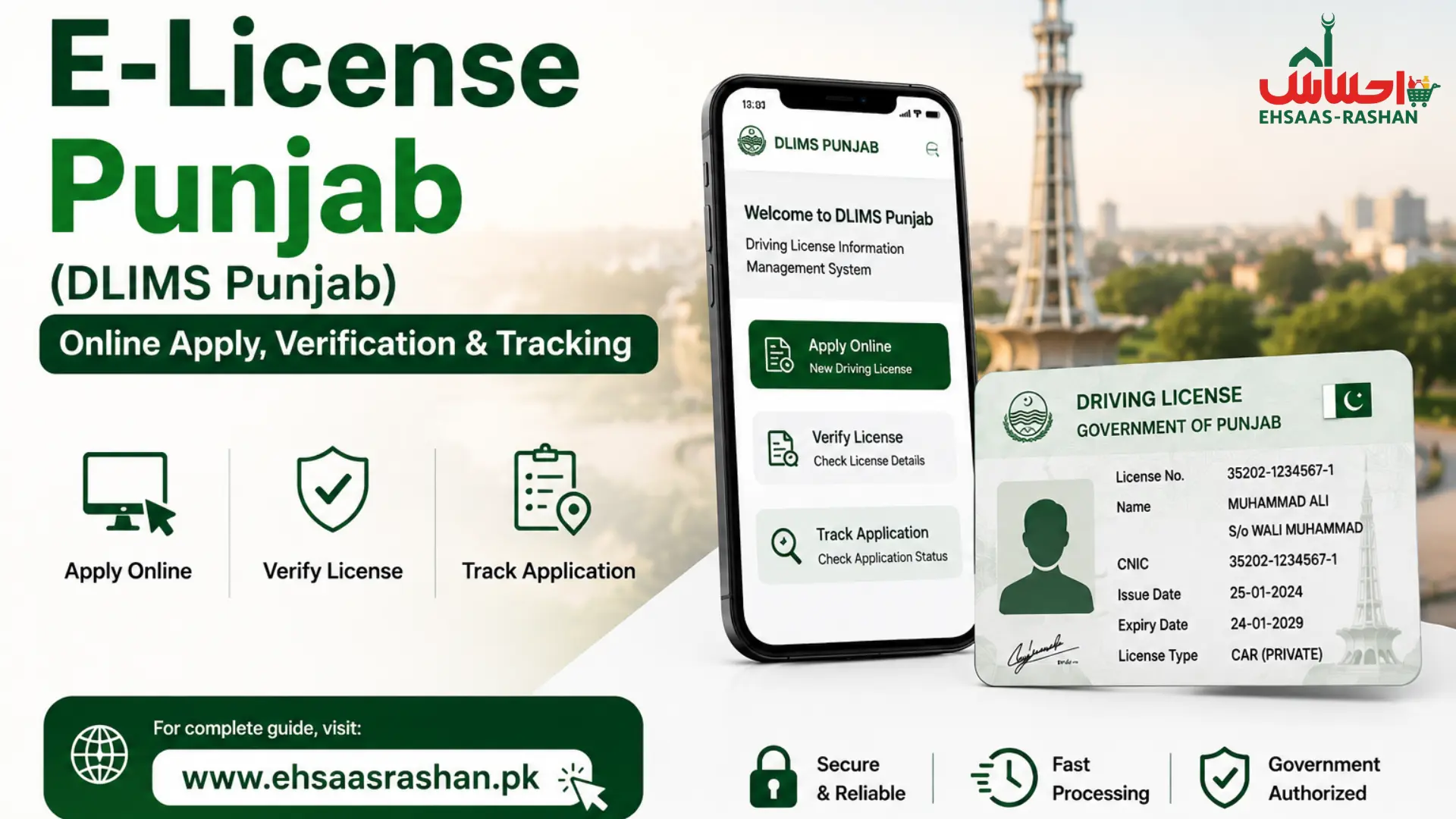
The government has shifted to a fully digital system. Citizens can now apply, verify, renew, and download their driving license online. This is called an e-license, a digital driving license backed by official government databases.
This guide covers everything you need to know about Pakistan’s e-license system in 2026. Whether you are in Punjab, Sindh, KPK, or Balochistan, this is your complete reference.
Want to know about the schemes of Pakistan click the button below.
What Is an e-License?
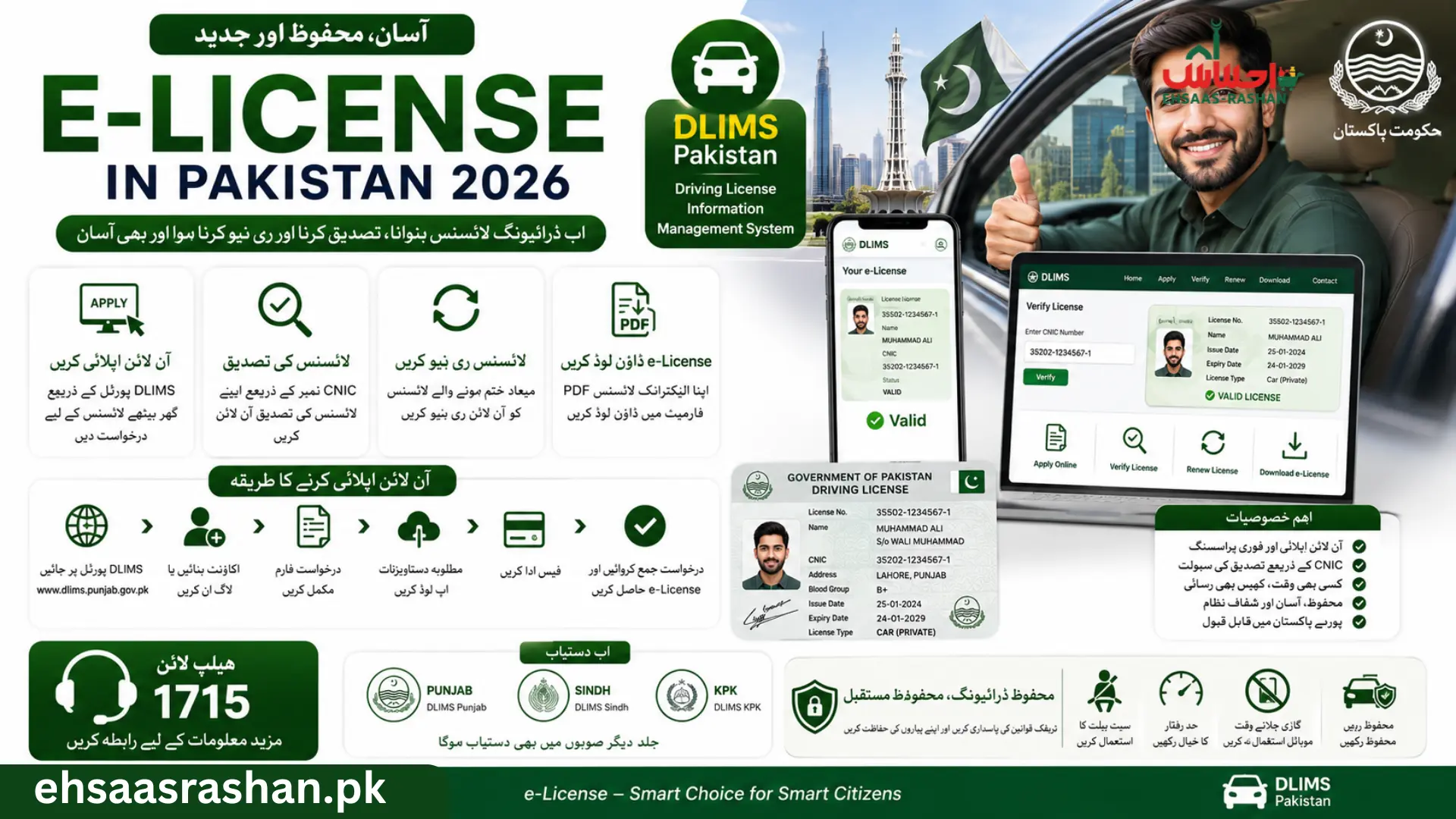
An e-license is a digitally issued and verified driving license. It is generated through official government portals and stored in a centralized database. The license can be downloaded as a PDF, displayed on a mobile phone, or verified online using a CNIC number.
Unlike the traditional paper or plastic card license, an e-license is linked to real-time government records. Traffic police can verify it instantly using NADRA-integrated systems. This eliminates fake licenses and speeds up roadside checks.
In Punjab, the system runs under DLIMS, the Driving License Information Management System. It is powered by PITB and integrated into the Dastak One-Window portal. In Sindh, it runs through DLS Online portal. KPK has launched its own digital license system under DLKP.
The key difference between a traditional and digital license is simple. A traditional license is a physical card issued after manual processing. An e-license is instantly verifiable, downloadable, and tamper-proof. It holds the same legal validity as a physical card throughout Pakistan.
Types of e-Licenses Available in Pakistan
Pakistan offers several types of driving licenses. Each type covers a specific vehicle category and purpose. All types are now available through the digital e-license system.
Learner Driving License
This is the first step toward getting a permanent license. A learner permit allows you to practice driving legally under supervision. It is valid for six months. You can apply online through DLIMS without visiting an office. After 42 days of holding the learner permit, you become eligible to book a driving test.
Regular Driving License
This is the standard permanent license issued after passing the driving test. It covers motorcycles, cars and jeeps, light transport vehicles (LTV), heavy transport vehicles (HTV), and other categories. A regular license can be issued for 1, 2, 3, 4, or up to 5 years depending on the applicant’s choice. Fees are charged according to the selected duration.
International Driving Permit
An International Driving Permit (IDP) allows Pakistani license holders to drive legally in foreign countries. It is issued through DLIMS Punjab for holders of valid regular Pakistani licenses. The IDP is recognized in over 150 countries including the UAE, UK, USA, Canada, and Saudi Arabia. Applicants must visit the licensing center for biometric verification before the IDP is issued.
Commercial Driving License
Commercial licenses cover heavy transport vehicles (HTV), public service vehicles (PSV), buses, trucks, tankers, and trailers. The test process for commercial licenses is more advanced. It includes additional road skill tests and knowledge of commercial transport rules. PSV applicants must also clear a character verification check.
Motorcycle License
A dedicated motorcycle category license covers two-wheelers and three-wheelers. The fee structure and test process differ from car licenses. This is the most applied-for license category in Pakistan. Learner permit holders must wait the required period before applying for the regular motorcycle license.
Benefits of Using an e-License
The shift to digital licenses brings real advantages for every driver in Pakistan.
- Online verification in seconds using CNIC or license number.
- Digital access on any smartphone, no physical card needed at all times.
- Faster renewal process through the official portal without office visits.
- Reduced paperwork and elimination of manual errors.
- Easier traffic verification by police using Safe City camera integration.
- Real-time status tracking of application, printing, and delivery stages.
- Home delivery of physical card through TCS courier after approval.
- Tamper-proof records linked to NADRA and provincial databases.
- Protection against fake licenses through QR code and biometric verification.
Who Can Apply for an e-License?
Before applying, confirm that you meet all eligibility conditions. These apply across all provinces.
Age Requirements
The minimum age for a motorcycle or car license is 18 years. For commercial vehicle categories including HTV and PSV, the minimum age is typically 21 years. Applicants under 18 are not eligible for any driving license in Pakistan. There is no maximum age restriction, but applicants above 50 years may require a medical certificate.
CNIC Requirements
A valid, active CNIC issued by NADRA is mandatory. The CNIC must not be expired at the time of application. Your residential address on the CNIC must match the province where you are applying. The mobile number registered against your CNIC is used for OTP verification and status updates.
Medical Fitness Conditions
All applicants must meet basic medical fitness standards. Eyesight must meet the minimum required level for safe driving. For commercial licenses and applicants above a certain age, a formal medical certificate signed by a registered medical practitioner (RMP) is required. The medical examination is conducted at licensing centers. Applicants with serious physical limitations may face additional review.
Residency Requirements
Applicants must be permanent residents of the province where they are applying. Your CNIC must show a domicile or address within that province. Overseas Pakistanis with a valid CNIC can apply through designated embassy services or during visits to Pakistan. Applicants from one province cannot apply at centers in another province.
Documents Required for e-License Registration
Keep all documents ready before starting your application. Missing documents cause delays.
• Original CNIC with valid and active status, both front and back copies.
• Learner permit copy, must be at least 42 days old before test booking.
• Two recent passport-size photographs on white background.
• Medical certificate signed by a registered medical officer, required for age 50+ or commercial categories.
• Driving test appointment confirmation from DLIMS.
• Fee challan receipt, generated as PSID (Payment Slip ID) through the portal.
• For international license, valid existing regular Pakistani license and passport copy.
• For duplicate license, copy of FIR or police report for lost license.
How to Apply for e-License Online in Pakistan
The process below applies to Punjab DLIMS. The steps are similar for Sindh and KPK with minor differences in portal links.
Step 1: Visit Official DLIMS Portal
Open your browser and go to dlims.punjab.gov.pk. This is the official Punjab government portal for all driving license services. For Sindh, visit official portal. For Islamabad, visit the Islamabad Traffic Police portal. Do not use any third-party website to apply. Only official portals are connected to government databases.
Step 2: Create an Account
Click the Register button on the portal homepage. Enter your 13-digit CNIC number and your mobile number. An OTP will be sent to your registered number. Enter the OTP to verify your identity. Create a secure password for your account. Log in to your dashboard to continue the application.
Step 3: Enter Personal Details
Fill in your personal details accurately. This includes your full name as on CNIC, date of birth, address, district, and vehicle category. Select the license type you are applying for. Double-check all information before proceeding. Any mismatch with NADRA records will delay or reject your application.
Step 4: Upload Required Documents
Upload scanned or photographed copies of your CNIC, photograph, and other required documents. All uploads must be clear, complete, and in the accepted file format. Blurry or cropped documents will cause your application to be rejected. File sizes should be within the portal’s limits. DLIMS verifies uploaded documents against NADRA and PLRA records automatically.
Step 5: Pay License Fee
After completing the form, the system generates a PSID, Payment Slip ID. This is your unique payment reference number. Pay the fee through any of these methods: National Bank of Pakistan (NBP) branch, 1-Link ATMs, internet banking, or mobile wallets. After payment, the PSID status updates automatically in your account.
Step 6: Book Driving Test Appointment
Log in to your DLIMS account after payment is confirmed. Navigate to the test booking section. Select your nearest licensing and testing center. Choose an available date and time slot. Confirm the booking and save your appointment confirmation. For learner permit holders, the driving test can only be booked after 42 days from permit issuance.
Step 7: Download or Print E-License
After passing the driving test and biometric verification, your license data is updated in DLIMS. Log in to your account and click the Download E-License option. Your e-license will be available as a PDF. You can print it or save it on your phone. The physical card is printed at a central facility and delivered to your registered address through TCS courier within 7 to 14 working days.
How to Verify e-License Online
License verification is instant and available to everyone. You do not need to log in to verify a license.
Verification by CNIC
Go to the verify section in official portal. Select the Regular License option. Enter the 13-digit CNIC number. Solve the captcha and click Generate. Your license details, validity status, and category will appear on the screen within seconds.
Verification by License Number
If you have the license number, select the Regular License tab on the verification page. Enter your CNIC along with your license number. Click Generate. This method is useful for third-party verification such as employers, rental companies, or law enforcement.
Mobile Verification Process
In KPK, the Digital Driving License (DLKP) app allows QR code-based verification. Traffic police can scan the QR code on your digital license to instantly confirm authenticity. In Sindh, the DLS mobile app and the Public Safety App provide real-time license checks. In Punjab, the Dastak app integrates all DLIMS verification services in one place.
e-License Fee Structure in Pakistan 2026
Fees vary by license type, vehicle category, and duration. All amounts below are approximate for Punjab. Confirm exact fees on the official DLIMS portal before payment.
Learner License Fee
The learner license fee ranges from Rs. 60 to Rs. 100 depending on the vehicle category. This fee is low because the learner permit is a temporary document valid for only six months.
Regular License Fee
| License Category | Approx. Fee (1 Year) |
| Motorcycle | Rs. 180 – Rs. 450 |
| Car / Jeep (LTV) | Rs. 540 – Rs. 1,350 |
| Heavy Transport (HTV) | Rs. 1,000 – Rs. 2,500 |
| Public Service Vehicle (PSV) | Rs. 1,500 – Rs. 3,000 |
| Courier Fee (TCS) | Rs. 480 (added to all) |
A license can be issued for 1 to 5 years. Fees for multi-year licenses are proportionally higher. In combined categories, the fee of the highest category applies.
Renewal Charges
Renewal on time, within one month of expiry, carries no fine. Renewal between 1 and 90 days after expiry incurs a 50% fine on top of the base fee. Renewal after 90 days and within one year attracts a 100% fine. Always renew before expiry to avoid penalty charges.
Duplicate License Fee
If your license is lost, stolen, or damaged, you can apply for a duplicate. The duplicate fee ranges from Rs. 360 to Rs. 500 plus applicable charges. A police report or FIR is required for lost license cases. Keep a scanned digital copy of your license at all times to avoid complications.
International License Fee
An International Driving Permit costs between Rs. 3,000 and Rs. 5,000 depending on category and duration. This fee covers additional verification, processing, and document preparation. Always confirm the IDP is accepted by your destination country before applying.
How to Renew an e-License Online
License renewal is fully digital in Punjab and partially digital in Sindh and KPK. Follow these steps to renew online.
1. Renewal eligibility begins 30 days before your license expiry date.
2. An expired license can be renewed but additional fines apply after the expiry date.
3. Log in to your DLIMS account.
4. Select the License Renewal option from your dashboard.
5. Confirm your current license details and update any changed information.
6. Upload a recent passport-size photograph if required by the system.
7. Choose the renewal duration, 1 to 5 years.
8. Generate the PSID and pay the renewal fee through bank, ATM, or mobile wallet.
9. Book an appointment if biometric verification is required.
10. Your renewed license will be delivered to your address via TCS within 7 to 14 working days.
For Sindh renewal, visit sindh DLI official site or visit any of the 8 DLS centers across Sindh. The timeline for renewal delivery is 3 to 7 working days in Sindh.
e-License Test Process Explained
You must pass a driving test before a regular license is issued. The test has multiple stages.
Traffic Sign Test
This is a theory-based test. You identify and explain road signs, traffic signals, and road markings. The DLIMS portal provides official traffic sign study materials to help you prepare. Passing this stage is mandatory before the road driving test.
Road Driving Test
You demonstrate practical driving skills on a designated test track or road. Examiners check vehicle control, lane discipline, signaling, parking, and road awareness. For motorcycle licenses, the test includes balance, low-speed control, and turning. For commercial categories, the test is more advanced and includes reversing and load management.
Biometric Verification
After passing the driving test, your fingerprints and photograph are taken at the licensing center. This biometric data is stored in the DLIMS database. It prevents impersonation and ensures only the verified applicant receives the license. Biometric verification is also required during renewal for some provinces.
Final Approval Process
Once biometric verification is complete, your data is sent for license printing at the central facility. You can track the printing and delivery status in real time through your DLIMS dashboard. An SMS notification is sent when your license is dispatched for delivery.
Punjab e-License System (DLIMS Punjab)
DLIMS 2.0 is Punjab’s next-generation driving license platform. It is developed by Punjab Information Technology Board (PITB) and integrated into the Dastak One-Window service portal.
DLIMS Punjab covers the complete license lifecycle, from learner permit to renewal, upgradation, duplication, and international permits. The system operates a centralized database connected to all licensing and testing centers across 36 districts of Punjab.
Key features of DLIMS Punjab include: online application and payment, real-time application tracking, e-license PDF download, license verification by CNIC, e-challan integration, home delivery through TCS, and biometric identity confirmation. Citizens can access all services at dlims official site or through the Dastak mobile app.
Sindh e-License Online Services
Sindh manages driving license services through the DLS, Directorate of Land Services, under Sindh Police. The official portal is dls online and the DLS mobile app is available on Android and iOS.
DLS Sindh provides 17 services online including new license issuance, renewal, verification, token booking, fee payment, and delivery tracking. Karachi alone has multiple dedicated licensing centers. Home delivery for Karachi costs Rs. 38 via TCS, and Rs. 55 for cities outside Karachi.
The process includes: online pre-appointment booking, front desk verification, SNAP photography, medical examination, fee payment, theory test for learners, road test for permanent licenses, license production, quality check, and TCS dispatch. Status updates are provided automatically throughout each stage. The DLS mobile app provides real-time tracking without any office visits.
KPK e-License Registration System
KPK has launched its own digital driving license initiative under the DLKP system managed by KPK Traffic Police. As of May 2026, KPK no longer requires drivers to carry a physical plastic license. The Digital Driving License app provides a QR-code verified electronic copy that is legally recognized throughout Pakistan.
Services available through KPK DLIMS include: new license application, learner permit, license renewal, license verification by CNIC, and duplicate license requests. Applicants can begin the process online but must visit a licensing center for medical examination and biometric verification. The KPK license verification portal is available at official portal.
Balochistan e-License Services
Balochistan’s driving license system is partially digitized. The province uses DLMIS, Driving License Management Issuance System.
Currently, Balochistan offers online license verification and limited application tracking. Most processes including learner permit issuance, driving tests, and biometric verification still require an in-person visit to the local licensing center. The government is actively working to expand digital services to remote districts. Citizens are encouraged to check the official portal for the latest update on available online services in their district.
Common e-License Problems and Solutions
Many applicants face avoidable issues. Here are the most common problems and how to resolve them.
CNIC Verification Failed
This happens when your CNIC details do not match NADRA records. The most common cause is an expired CNIC. Renew your CNIC at the nearest NADRA office before applying. Also confirm your mobile number is registered against your own CNIC, not a family member’s.
Application Rejected
Applications are rejected due to incomplete documents, incorrect information, or ineligibility. Carefully review the rejection reason in your DLIMS dashboard. Correct the issue and reapply. Do not submit a new application before resolving the root cause.
SMS Not Working
If you do not receive an OTP, check that your mobile number is active and registered with your CNIC. Switch networks and try again. Clear your message inbox if it is full. If the issue persists, contact the helpline or use the portal’s Resend OTP option.
Payment Failed Issue
If your PSID payment fails, do not pay again immediately. Wait 24 to 48 hours for the system to update. Check with your bank if funds were deducted. Keep the payment receipt as proof. Visit the licensing center with your receipt if the PSID does not update within 48 hours.
Driving Test Appointment Delay
High application volumes can delay test slot availability. Check for cancellations by logging in regularly. You can also visit the licensing center directly and inform staff that you want to book a test. Your learner permit must still be valid on the day of the test.
e-License Helpline & Support Centers
Punjab Traffic Police Helpline
For all DLIMS Punjab queries, contact: Emergency: 15. Phone: 042-99202892. Email: [email protected]. Website: dlims.punjab.gov.pk. The Dastak One-Window portal also has a built-in complaint and support section. Citizens can submit queries and track responses online.
Sindh Driving License Support
For DLS Sindh queries: Visit dlsonline.sindhpolice.gov.pk. Email: [email protected]. The DLS mobile app has a built-in help section. Sindh Police also maintains dedicated support staff at all 8 DLS licensing centers across the province including Karachi, Hyderabad, Sukkur, and other major cities.
Online Complaint Methods
Citizens can register complaints through the following channels: Punjab Complaint Portal at complaints.punjab.gov.pk. Pakistan Citizen Portal (PCP) app, available on Android and iOS. Dastak app complaint section. Chief Minister’s complaint cell. Always note your application tracking ID or CNIC when filing a complaint for faster resolution.
Important Traffic Rules Every License Holder Should Know
Holding an e-license comes with legal responsibility. Know these rules to drive safely and avoid fines.
- Helmet rules: All motorcycle riders and pillion passengers must wear helmets at all times. Riding without a helmet can result in a traffic fine and e-challan issued through Safe City cameras.
- Seatbelt regulations: All passengers in a car must wear seatbelts. The driver is responsible for ensuring all occupants are belted. Fines apply for violations.
- Speed limits: Urban roads generally carry a limit of 50 km/h. Motorways allow up to 120 km/h. School zones and hospital areas have lower limits. Safe City cameras and radar systems monitor speed 24/7 in 2026.
- Mobile phone restrictions: Using a hand-held mobile phone while driving is strictly prohibited. Punjab 2026 traffic rules impose heavy fines for mobile use while driving. Hands-free systems are permitted.
How to Download e-License PDF Copy
Once your license is approved in the DLIMS system, downloading the PDF is straightforward.
1. Open the official site on your phone or computer browser.
2. Log in using your CNIC and password.
3. Go to your application section and find the approved license.
4. Click the Download E-License or Generate E-License button.
5. The PDF will download to your device within seconds.
6. Save the PDF to your phone’s gallery or drive for easy access.
7. You can also print the PDF on standard A4 paper for a physical copy.
The e-license PDF is legally valid for roadside checks across Pakistan. It displays your name, license number, CNIC, vehicle categories, validity dates, and a QR code for instant verification. Always keep a digital backup in your email or cloud storage.
e-License vs Traditional License | Key Differences
| Feature | E-License | Traditional License |
| Application | 100% online | Requires office visit |
| Verification | Instant via CNIC / QR code | Manual check by traffic police |
| Format | PDF + physical card | Physical card only |
| Renewal | Online, no office visit | In-person required |
| Tracking | Real-time via DLIMS dashboard | No tracking available |
Tips to Avoid Scams
Driving license fraud is common. Protect yourself by following these rules.
Fake SMS Alerts
Never click links in SMS messages claiming to be from DLIMS or traffic police. The government does not ask for payment or personal data through SMS links. All official communications come from verified government numbers. If in doubt, log in to the official portal directly using the URL you have bookmarked.
Fraud Registration Agents
Avoid agents or middlemen who offer to process your license for a fee. The online system is designed for direct citizen use. No agent can speed up official processing through unofficial channels. If someone asks for money to register your application, report them to the nearest police station or the Punjab Complaint Portal.
Official Sources Only
Always use the official portals. These are the only portals connected to real government databases. Third-party websites may collect your CNIC and personal data for fraudulent purposes.
Frequently Asked Questions
Can I use e-license on mobile?
Yes. You can download the e-license PDF and store it on your phone. In KPK, the DLKP app provides a QR-coded digital license that traffic police can scan instantly. In Punjab, the Dastak app allows you to access your license record. A mobile digital copy is legally recognized across Pakistan.
Is digital driving license valid in Pakistan?
Yes. A digital e-license downloaded from the official DLIMS portal is fully valid and legally recognized in Pakistan.
How long does e-license approval take?
The learner license is approved quickly after document verification, usually within a few working days. The regular license is processed after passing the driving test and biometric verification. Physical card delivery takes 7 to 14 working days from approval through TCS. In Sindh, the timeline is 3 to 7 working days.
Can overseas Pakistanis apply online?
Overseas Pakistanis with a valid CNIC can begin the application online. However, biometric verification and the driving test still require a visit to a licensing center in Pakistan. Some embassies offer limited facilitation for overseas Pakistanis. Check the official DLIMS portal for the latest policy on overseas applications.
What happens if my license expires?
An expired license is invalid for driving. Traffic police can fine you and impound your vehicle. You can renew an expired license through DLIMS but additional fines apply. Renewal within one month carries no fine. After one month and before 90 days, a 50% fine applies. After 90 days, a 100% fine is charged.
Final Words
Pakistan’s e-license system has fundamentally changed how citizens interact with driving license services. The days of long queues, repeated office visits, and manual paperwork are largely over in 2026.
Whether you are applying for the first time, renewing an old license, or simply verifying your record, the process is now faster, more transparent, and fully digital. The DLIMS system in Punjab, DLS in Sindh, and DLKP in KPK make every major service accessible from your phone.
Always use official portals. Never pay through unofficial channels. Keep your CNIC active and your license renewed before expiry. Store a digital copy of your e-license on your phone at all times.
Safe driving is not just a legal requirement. It is a responsibility every license holder owes to others on the road.